Materials & Shaders
8. The PileGen/Triplanar Shader
PileGen includes a custom URP shader (PileGen/Triplanar) that generates all surface detail procedurally — no textures required.
Key Features
- •13 material types with unique procedural patterns
- •7 pattern library overlays
- •Triplanar & local triplanar projection — no UV seams on any geometry
- •Per-instance color variation — each piece looks unique (driven by stable vertex color seeds, not world position)
- •Smooth & LowPoly shading modes
- •Procedural normals derived from material height fields
- •SRP Batcher compatible
- •6 vertex shape modifiers (GPU-side)
- •Texture override system for blending real textures over procedural surfaces
Creating a Material
- •
Assets > Create > Material - •Set shader to
PileGen/Triplanar - •Choose a Material Type from the dropdown
- •Adjust colors, patterns, and surface properties
- •Assign to your Pile Profile's Material slot
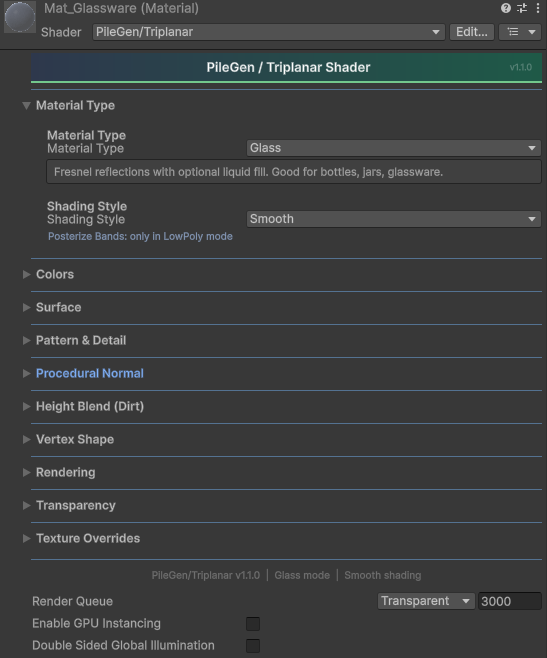 The PileGen/Triplanar material inspector showing all foldout sections collapsed: Material Type, Colors, Surface, Pattern & Detail, Vertex Shape, Rendering, Transparency, and Texture Overrides.
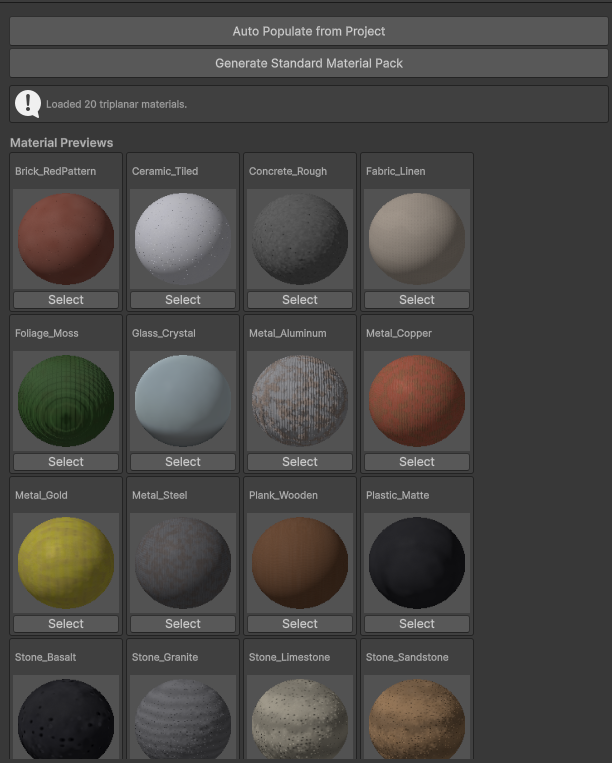 The Material Browser showing all configured materials with type badges and preview thumbnails.
9. Material Types
Each material type generates a unique procedural surface pattern:
| Type | Pattern Description | Suggested Use |
|---|---|---|
| Rock | Layered strata with cracks and FBM variation | Rocks, boulders, cliff debris |
| Wood | Directional grain with band variation | Planks, logs, firewood |
| Brick | Offset brick grid with mortar lines | Brick fragments, masonry rubble |
| Crate | Slatted wood panels with frame edges | Crates, boxes, pallets |
| Book | Cover vs page detection with fine page lines | Books, notebooks, folders |
| Glass | Fresnel reflections with optional liquid fill | Bottles, jars, glassware |
| Metal | Brushed streaks with rust patches and scratches | Scrap metal, plates, cans |
| Fabric | Woven cross-hatch with wrinkle folds | Sacks, bags, cloth bundles |
| Ceramic | Smooth glaze with fine crackle network | Pottery shards, tiles, clay |
| Concrete | Aggregate speckle with surface cracks | Rubble, blocks, broken concrete |
| Foliage | Leaf vein pattern with drying edges | Leaves, hay, organic matter |
| Plastic | Smooth base with mold seams and scuffs | Containers, toys, modern objects |
| Generic | Simple noise blend between colors | Any generic procedural surface |
Cylindrical Mapping
For barrel-shaped and lathe objects, enable Use Cylindrical Mapping in the material:
- •Vertical Staves — barrel-style vertical plank lines
- •Horizontal Rings — ring-style horizontal divisions
- •Plank Count — number of divisions around the cylinder
- •Grain Frequency / Warp — controls the wood grain texture
This overrides the default triplanar blending with a cylindrically-aligned UV-free projection that wraps cleanly around revolution surfaces.
Color Slots
- •Base Color — Primary surface color
- •Dark Color — Used for cracks, grain lines, mortar, shadows
- •Highlight Color — Used for edges, weathering, page color, sheen
- •Color Variation — Per-instance random tint (0–0.3). Driven by a stable seed pre-baked into vertex color alpha — patterns do not shift when objects are moved.
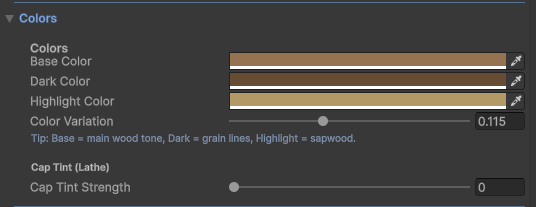 The Colors foldout showing Base, Dark, and Highlight color slots with per-instance Color Variation and Cap Tint controls.
Cap Tint
- •Top Cap Tint — Tint applied to the top face of the mesh
- •Bottom Cap Tint — Tint applied to the bottom face
- •Cap Tint Strength — Blend strength (0 = disabled)
Useful for dirtied bottoms, dusty tops, or two-tone objects like stone columns with grass caps.
10. Pattern Library
7 procedural pattern overlays that can be applied on top of any material type:
| Pattern | Description |
|---|---|
| None | No overlay |
| Voronoi | Organic cell-based pattern (stone, scales, cracked surface) |
| Stripes | Directional bands with noise perturbation (fabric, wood grain) |
| Checker | 3D checkerboard grid (tiles, game pieces) |
| Waves | Sinusoidal interference pattern (water, sand ripples) |
| Dots | Polka dot grid on XZ plane (perforated metal, decorative) |
| Marble | Turbulent veined pattern (marble, agate, swirled materials) |
| Scales | Overlapping fish-scale pattern (reptile skin, roof tiles) |
Pattern Controls
- •Pattern Frequency — How dense the pattern is (0.5–12)
- •Pattern Blend — How strongly the pattern affects the material height field
- •Pattern Sharpness — Hard vs soft edges for the pattern
- •Pattern Invert — Flip the pattern's light/dark relationship
- •Pattern Dark/Light Blend — Tint patterns toward dark or highlight colors
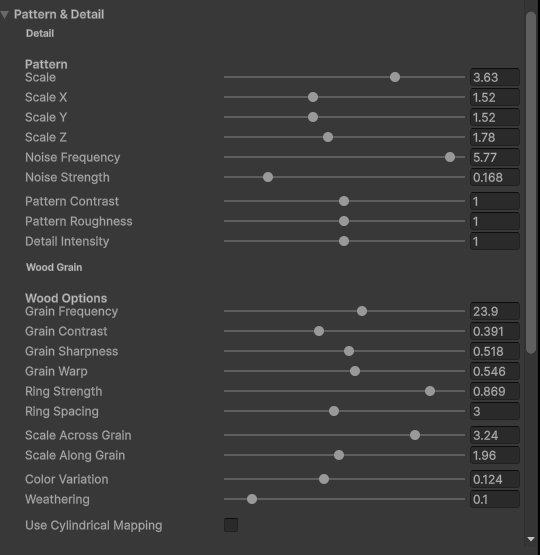 The Pattern & Detail foldout for a Wood material showing scale, noise, grain options, and cylindrical mapping toggle.
11. Vertex Shape Modifiers
GPU-side vertex deformations applied in the shader. These are visible in the editor and at runtime and are correctly baked during texture baking.
Open the Vertex Shape foldout in the material inspector:
| Modifier | Range | Description |
|---|---|---|
| Taper | 0–1 | Narrows the top of the mesh. Great for bottles, vases, tapered containers. |
| Twist | -2 to 2 | Rotates vertices around the Y axis based on height. Values represent full turns. Good for candles, twisted columns. |
| Bulge | -1 to 1 | Inflates (positive) or deflates (negative) the mid-section. Good for barrels, pillows, pouches. |
| Squash | 0–0.9 | Compresses Y axis while expanding XZ to preserve volume feel. Good for soft/dropped objects. |
| Round | 0–1 | Spherizes vertices toward a unit sphere. Softens hard edges on cubes and crates. |
| Vertex Noise | 0–0.3 | GPU-side noise displacement along vertex normals. Adds organic variation. |
| Vertex Noise Freq | 1–20 | Controls the frequency of vertex noise. |
Modifiers are applied in order: Taper → Twist → Bulge → Squash → Round → Noise. All default to 0 (off) with zero performance cost when disabled.
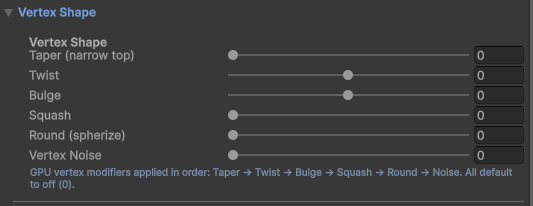 The Vertex Shape foldout showing Taper, Twist, Bulge, Squash, Round, and Vertex Noise sliders.
12. Texture Overrides
Blend real textures over the procedural patterns using triplanar projection:
Albedo Override
- •Enable Use Albedo Override
- •Assign an Albedo Map (color texture)
- •Adjust Triplanar Scale and Blend (0 = fully procedural, 1 = fully texture)
Normal Override
- •Enable Use Normal Override
- •Assign a Normal Map
- •Adjust Triplanar Scale and Strength
- •Only visible in Smooth shading mode
Noise Override
- •Enable Use Noise/Pattern Override
- •Assign a Noise Map (grayscale)
- •Modulates the procedural noise strength — create custom wear, dirt, or detail patterns
- •Adjust Triplanar Scale and Blend
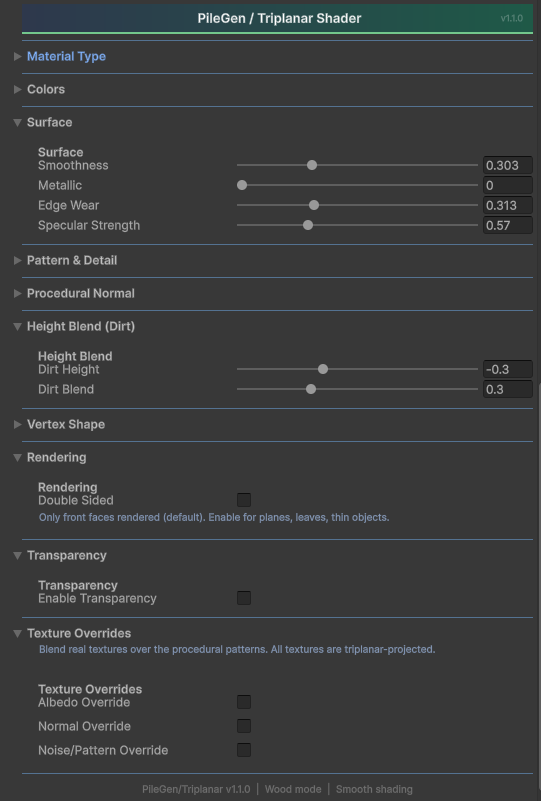 The full shader inspector with Surface, Height Blend (Dirt), Rendering, Transparency, and Texture Overrides sections expanded.
Tip: Override textures use the same
triNormalbasis as the procedural layer, so they blend seamlessly without seam shifting on rotated objects.
21. LowPoly / Palette Shading
The PileGen/LowPolyStyle shader uses a 1D palette texture for vertex coloring suitable for stylized low-poly art.
How It Works
- •Each mesh island (e.g., each piece in a pile) picks a color from the palette based on its assigned index plus a random jitter
- •The palette texture must have Filter Mode: Point and Compression: None to avoid color interpolation
Palette Generator
Use PileGen > Palette Generator to create custom color schemes. The tool outputs a 1D texture PNG compatible with the LowPolyStyle shader.
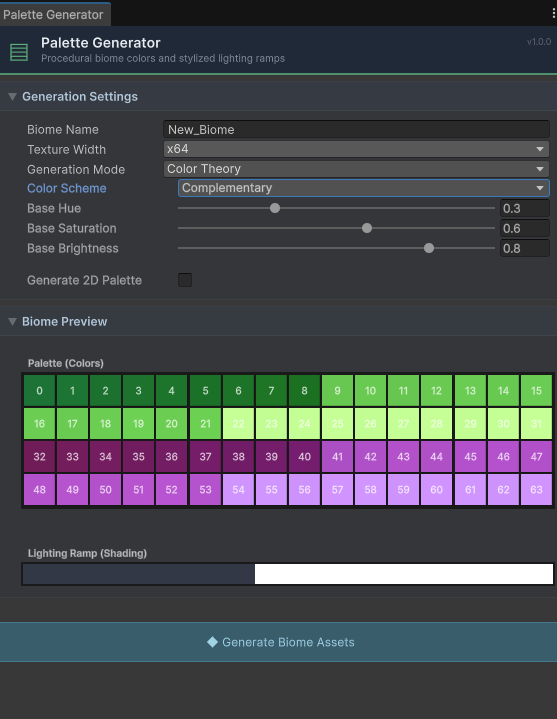 The Palette Generator editor window for designing custom color ramps for LowPoly shading.
Palette ScriptableObject
Configure a palette in a LowPoly Style ScriptableObject (Assets > Create > PileGen > LowPoly Style):
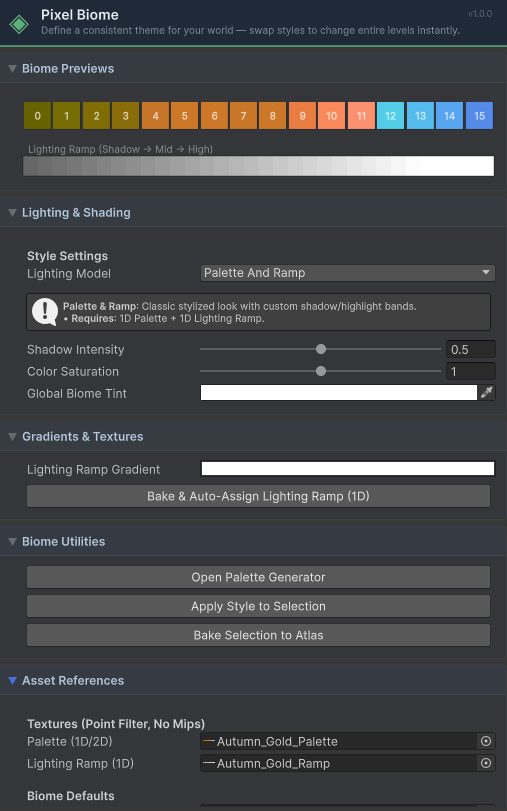 A configured LowPoly Style / Palette asset showing color ramp, jitter range, and material settings.
Palette Browser
Browse and manage all palette assets via PileGen > Palette Browser:
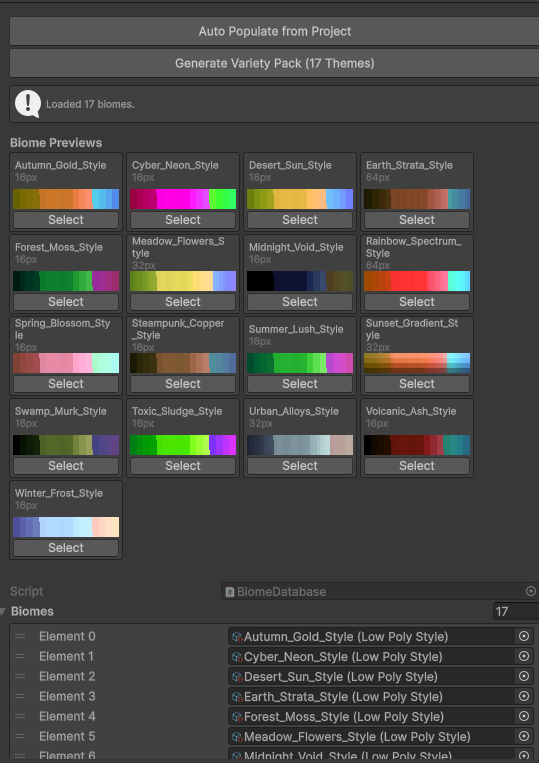 The Palette Browser showing all LowPoly Style assets with color swatches.
Palette Controls (per Sub-Shape)
For Compound shapes, each sub-shape can independently configure:
- •Palette Offset — Fixed color slot offset (e.g., blade = 0, handle = +2)
- •Palette Jitter — Random variation per instance (±N slots)
This allows complex compound objects (weapons, furniture) to have intentional, stable multi-color appearances.